Walk into every meeting prepared
Mark a series as a stand-up or a 1-1, press one button, and AI drafts talking points from what you actually did since last time.
The worst minute of any 1-1 is the first one: “so… what did I want to bring up?” You did the work — it’s in your journal, your tasks, your reviews, your notes. Meeting prep reads all of it and hands you the agenda. It runs in your browser with your key, so the plaintext never touches a server.
1. Tell the app what kind of meeting this is
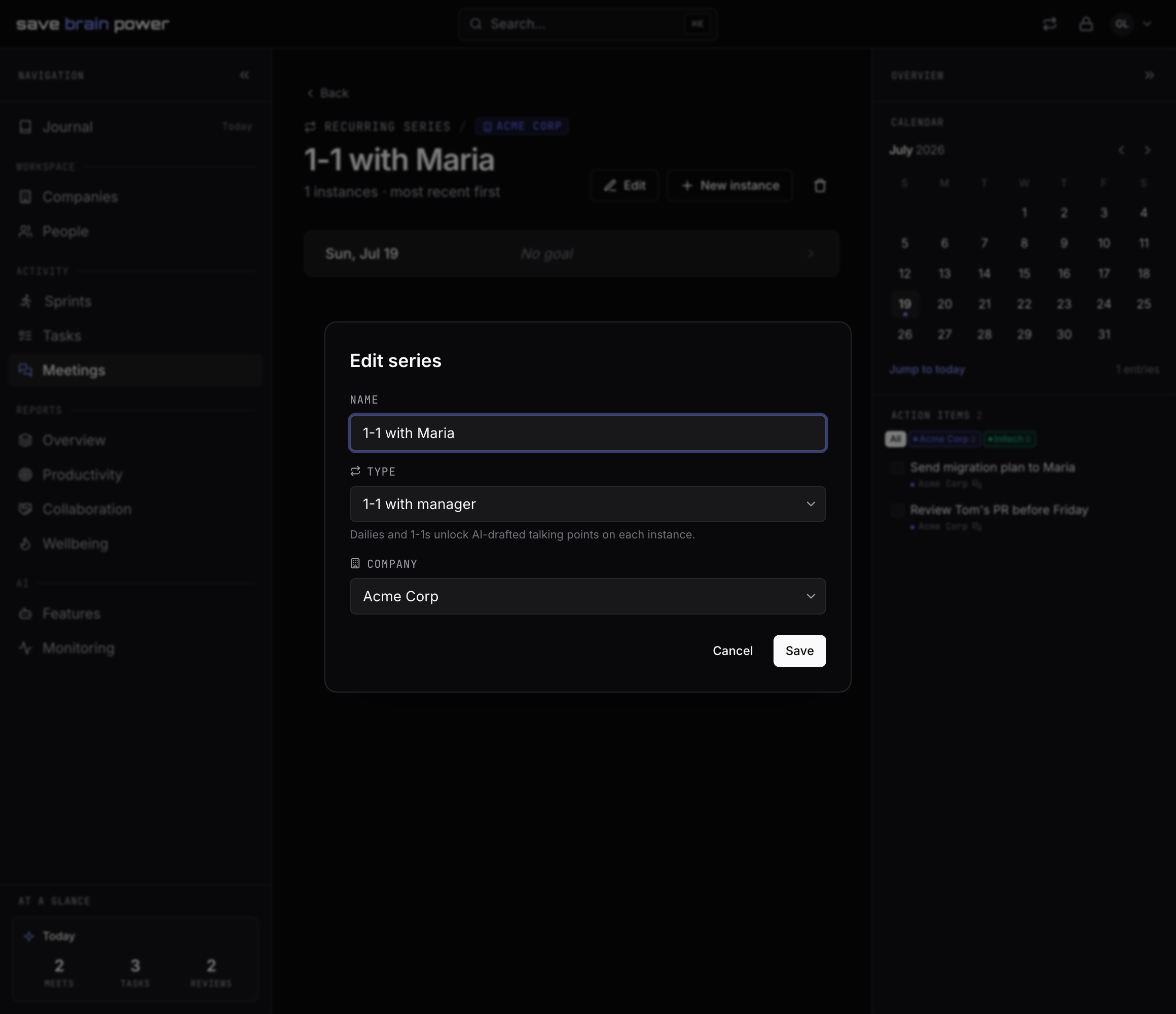
On the meeting, assign it to a series (the dropdown next to the company offers New series… if it doesn’t have one yet), then open the series and edit its Type: Scrum daily or 1-1 with manager. As the dialog puts it: dailies and 1-1s unlock AI-drafted talking points on each instance. The type steers the draft — a daily wants yesterday/today/blockers; a 1-1 wants wins, decisions needed, and the threads you and your manager left open.
The type is encrypted, by the way. The server never learns which of your meetings are 1-1s.
2. Draft your talking points
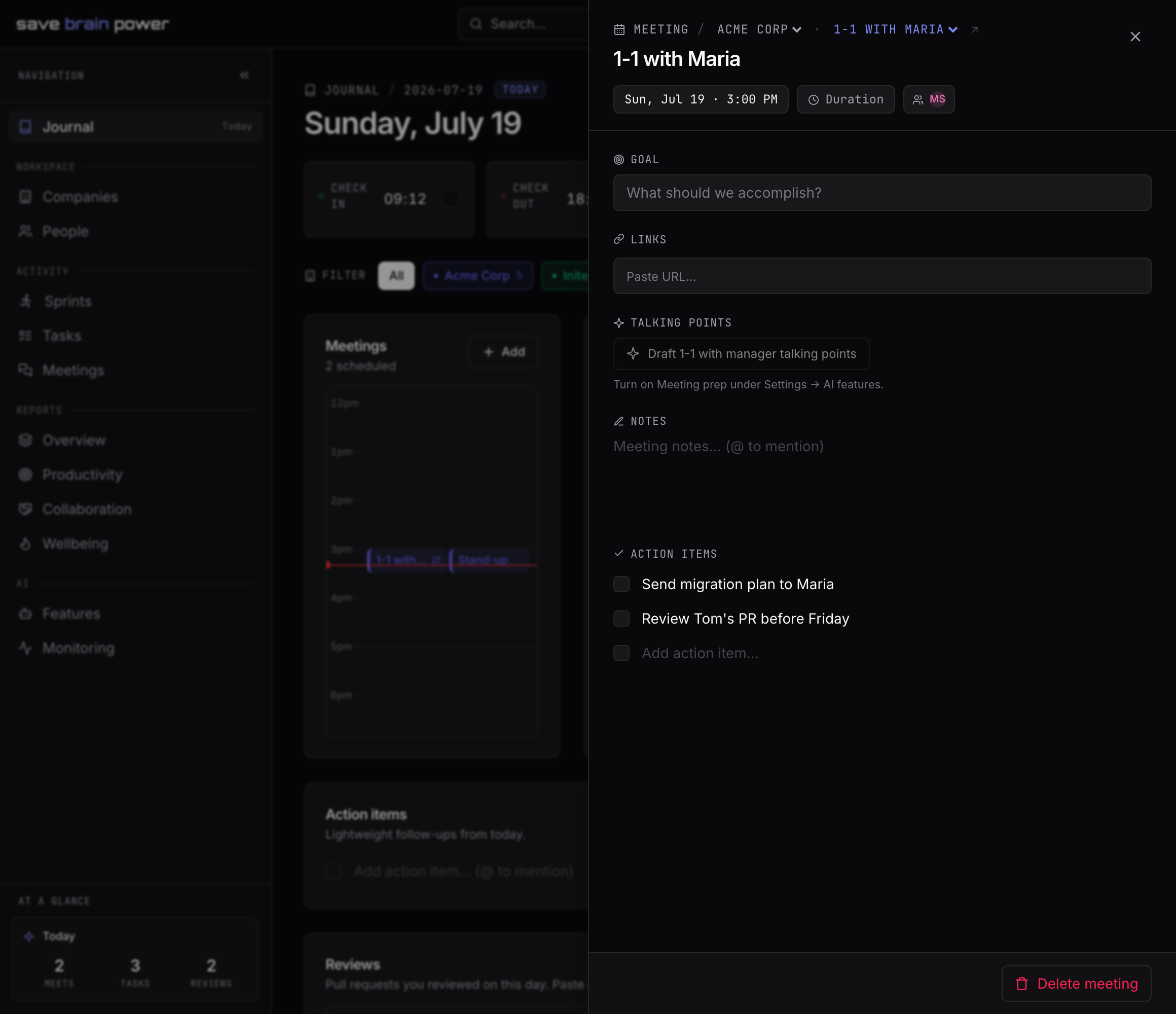
On the meeting itself, the Talking points section shows one button: Draft 1-1 with manager talking points. It pulls from what actually happened since the last occurrence — finished tasks, PR reviews, open blockers, action items, and notes that mention the person across from you. (Until you’ve turned Meeting prep on, the button points you at Settings → AI features instead of guessing.)
3. Skim, tweak, walk in
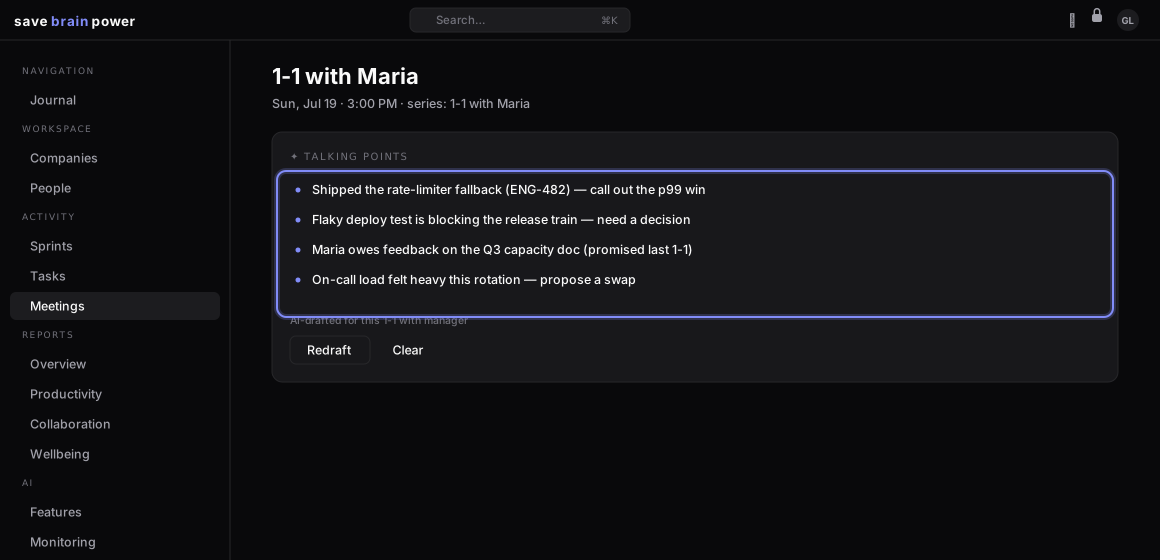
The draft lands in seconds: concrete bullets with task references, not horoscope filler. Cut what doesn’t matter, Redraft if the emphasis is off, and keep the habit of writing one note after the meeting — next time’s draft gets sharper because of it.
Tip: prep works best a few minutes before the meeting, when the journal already has today’s context. The ✦ talking points ready marker on the day’s timeline tells you it’s done.
Start each week the same way — with the Monday brief.